

Unlock Tool Download (2025) – Latest Version, Setup, Installation & Activation Guide
Introduction: Why Unlock Tool Is the No.1 Choice for Mobile Technicians
Unlock Tool has become one of the most trusted and powerful mobile servicing solutions used by repair shops, GSM technicians, and FRP specialists across the world. Whether your goal is to remove FRP, flash firmware, reset a locked device, bypass authentication, or perform complex Qualcomm/MTK operations, Unlock Tool is a complete all-in-one solution designed for professionals.
With thousands of daily active users, continuous updates, and advanced chipset support, Unlock Tool remains a leading software for smartphone repairing.
In this complete guide, you will learn everything about:
Unlock Tool Download (Latest 2025 Version)
How to Install Unlock Tool
How to Activate Unlock Tool
Supported Devices List
System Requirements
FRP & Flashing Features
Error Fixes
Complete Usage Guide
FAQs & Best Practices
Let’s begin with the most important part—downloading the official version.
1. Unlock Tool Download (Latest Version 2025)
Unlock Tool can only be downloaded from its official servers. Using unofficial files can cause malware infections, software corruption, or account bans.
✔ Official Download Link:
✔ Alternative Safe Mirror (Guide Only):
👉 https://www.gsmbazaar.in/blog/unlock-tool-download-latest-version-2025
These links provide the official installer with the latest updates, ensuring safety and compatibility.
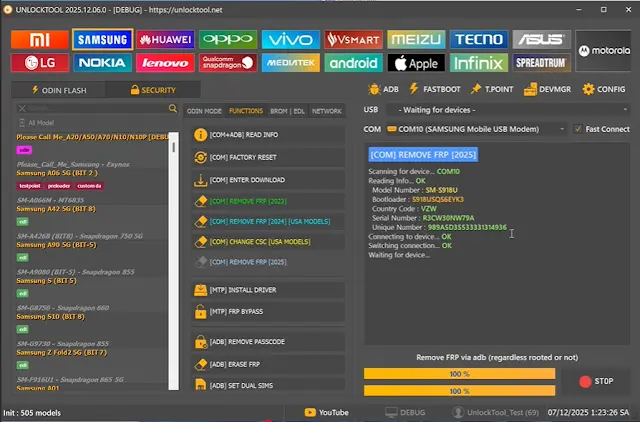
2. What Is Unlock Tool? (Complete Overview)
Unlock Tool is a professional mobile servicing software that supports multiple brands like Samsung, Xiaomi, Vivo, Oppo, Motorola, Huawei, etc. It provides specialized functions for flashing, FRP removal, factory reset, network unlock (limited models), and bootloader repair.
Key Purposes of Unlock Tool:
Flash stock ROMs and firmware
Remove FRP lock (Samsung, Xiaomi, Vivo, Oppo)
Reset pattern/PIN/Password
Repair software-related issues
Solve bootloop or stuck logo issues
Bypass Mi Account & Google Account (selected models)
Perform Qualcomm & MTK advanced operations
Every update adds new device support and improves performance, making it one of the most valuable tools for repair technicians.
3. Why Unlock Tool Is So Popular? – Top Advantages
In 2025, Unlock Tool continues to dominate the market because of the following reasons:
⭐ 3.1 Daily Updates & New Features
The team behind Unlock Tool releases updates almost every day, providing bug fixes, new functions, and expanded device support. This makes the tool extremely reliable.
⭐ 3.2 Supports Both MTK & Qualcomm Chipsets
Most phones in India & Asia use MTK or Qualcomm processors. Unlock Tool handles both with ease.
⭐ 3.3 Easy, Clean & Fast User Interface
The UI is simple, making new technicians learn quickly.
⭐ 3.4 Works on Windows 7/8/10/11
No need for a high-end PC.
⭐ 3.5 Affordable Licensing
Pricing is much cheaper compared to tools like Chimera, EFT Pro, or UMT yearly packages.
4. Latest Unlock Tool 2025 Update (Major Improvements)
The 2025 update focuses heavily on:
✔ Samsung Android 16 FRP Support
Unlock Tool added support for FRP removal on many Samsung Android 16 devices using MTP & COM methods.
✔ Qualcomm Improvements
Firehose reading
Factory reset
FRP erase
Flash support for new BIT versions
Supported BIT versions include:
A02s (BIT6)
A05s (BIT-B, BIT-9, BIT-C)
A23 5G (Multiple BITs)
S20 FE (BIT-H, BIT-N)
S21 FE
S21+
✔ MTK Enhancements
Improved DAA/SLA bypass
Faster flashing
Expanded chipset detection
✔ Xiaomi Fastboot Features
Mi Account remove
Auth bypass
FRP reset
With every update, new models are added, keeping technicians ahead of competition.
5. System Requirements for Unlock Tool
To run Unlock Tool smoothly, your PC/Laptop must meet the following requirements:
| Component | Minimum Requirement |
|---|---|
| Operating System | Windows 7, 8, 10, 11 (64-bit recommended) |
| RAM | 4GB (8GB Recommended) |
| Processor | Intel/AMD Dual-Core |
| Storage | 2–4GB Free Space |
| Internet | Required for login & operations |
| Drivers | MTK, Qualcomm, Samsung Drivers |
6. How to Install Unlock Tool (Step-by-Step Guide)
Follow these steps to install Unlock Tool safely:
Step 1 – Download the Official Installer
Use the link provided above to get the latest version. Download Here
Step 2 – Extract the ZIP File
Right-click → Extract using WinRAR/7Zip.
Step 3 – Run Setup (UnlockTool.exe)
Double-click to install.
Step 4 – Install Drivers
This is important. Install all drivers for:
Samsung
MTK
Qualcomm
ADB/Fastboot
Step 5 – Launch the Tool
After installation, open the software from your desktop.
Step 6 – Login with Your Credentials
Enter your Username & Password purchased during activation.
7. Unlock Tool Activation Guide (2025)
Unlock Tool requires a license to run. There are two ways to activate:
7.1 Method #1 – Official Website Activation
Go to: https://unlocktool.net
Login to your account
Click “Activate License”
Choose package (3 months / 6 months / 1 year)
Pay online
Activation will reflect within minutes
7.2 Method #2 – Authorized Indian Reseller
You can also activate from trusted platforms like GSM Bazaar.
Packages available:
3 Months
6 Months
1 Year
Activation Time: 5–30 minutes
Customers get instant support for login/driver issues.
8. Full Features of Unlock Tool (Detailed Breakdown)
Below are the most important features explained for technicians.
8.1 Samsung Features
Unlock Tool has the best Samsung FRP performance in India.
FRP Remove via MTP
FRP via COM port
ADB Enable
Factory Reset
Flash Firmware
Remove screen lock (selected models)
KG Lock Helper
New Android 16 FRP support
8.2 Xiaomi Features
Xiaomi (Redmi, Poco, Mi) operations include:
Mi Account Remove
Auth Bypass
FRP Reset
Fastboot Flashing
Anti-rollback safe features
Bootloader operations
8.3 Oppo / Realme / Vivo (MTK/Qualcomm)
Pattern unlock
FRP remove
Flash firmware
Meta mode operations
Network unlock support (few models)
8.4 Qualcomm Features
Firehose Flashing
QCN Backup / Restore
IMEI repair (limited models)
FRP erase
Partition reading
8.5 MediaTek (MTK) Features
MTK support has grown tremendously in 2025.
DAA/SLA bypass
Bootloader unlock
Flash scatter firmware
Dump partitions
FRP reset
Meta/Preloader mode functions
9. How to Use Unlock Tool for FRP Removal (Step-by-Step)
Unlock Tool is mainly famous for FRP unlocking. Here’s how to perform it:
9.1 Samsung FRP via MTP (Quick Method)
Connect device in normal mode
Select “Samsung” → FRP (MTP)
Click “Start”
Wait for tool to trigger browser
Complete bypass
FRP removed successfully
9.2 Samsung FRP via COM (Advanced)
Use this when MTP method does not work.
Enter download mode
Connect USB cable
Select “COM Mode FRP”
Click “Erase FRP”
Wait 1–2 minutes
This method supports newer BIT versions.
9.3 Xiaomi FRP Reset
Boot to Fastboot Mode
Select “Xiaomi → FRP”
Click Reset FRP
Device will reboot with FRP removed
9.4 Vivo / Oppo FRP
Put device in EDL / Meta mode
Select brand
Click reset FRP
10. Common Unlock Tool Errors & Fixes
Below are the frequently reported issues and their solutions.
❌ Error: Login Failed
✔ Check internet connection
✔ Username/password incorrect
✔ Tool servers busy → retry after 2–3 minutes
❌ Device Not Detecting
✔ Install correct USB drivers
✔ Change USB cable
✔ Use back USB ports
✔ Enable ADB/Fastboot if required
❌ Samsung FRP Not Supported
✔ Try COM method
✔ Change firmware version
❌ MTK Bypass Failed
✔ Reinstall MTK driver
✔ Disable driver signature enforcement (Windows)
11. Supported Brands & Devices
Unlock Tool supports more than 5000+ models including:
Samsung Series:
A-Series, M-Series, F-Series, S-Series, Note Series, Fold/Flip models (limited)
Xiaomi Series:
Redmi, Poco, Mi, Black Shark
Vivo & iQOO:
All new MTK + Qualcomm chipsets supported
Oppo & Realme:
New & old MTK models with FRP/PIN removal
Motorola, Infinix, Tecno:
Most Qualcomm & MTK devices
Huawei:
Limited Fastboot functions
This makes Unlock Tool one of the most wide-coverage solutions in the market.
12. Unlock Tool Safety Tips (Must Read)
Always download from the official website
Avoid cracked versions (Account ban risk)
Keep drivers updated
Take backups before flashing
Use original USB cables
Follow correct model & chipset selection
13. Final Verdict – Should You Use Unlock Tool in 2025?
Absolutely YES.
Unlock Tool is currently the most stable, fastest, and feature-rich unlocking software available at an affordable price. With powerful FRP tools, daily updates, strong MTK/Qualcomm support, and reliable activation services, it has become a must-have tool for every mobile technician.
Whether you run a repair shop or work online with remote unlocking, Unlock Tool will save you time, improve success rates, and help you serve more customers.
14. Need Unlock Tool Activation?
You can buy genuine activation from a trusted Indian reseller:
👉 Website:www.GsmBazaar.in
👉 WhatsApp: +91 7900447056
Fast activation + support + driver help included.
15. FAQs – Unlock Tool Download & Activation
Q1: Is Unlock Tool free?
No, you must purchase an activation license.
Q2: Can Unlock Tool remove FRP from Samsung Android 16?
Yes, the latest update supports many Android 16 models.
Q3: Does it require internet?
Yes, login and many operations need internet access.
Q4: Does Unlock Tool support iPhones?
No, it works only on Android devices.
Q5: Can beginners use Unlock Tool?
Yes, the interface is very simple and user-friendly.
About Me

Sanjeev Saini
Sanjeev Kumar – A passionate B.Com graduate, blogger, and creative designer. I have a deep passion for Blogging, SEO, Digital Marketing, Graphics Design, and Website Development. Now, I’m helping beginners build stunning WordPress websites and eye-catching graphics to grow their online presence. 🚀

Latest Posts

Related Articles
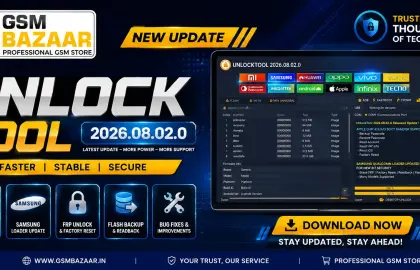
Unlock Tool 2026.08.02.0 Released – Apple A12/A13 Ramdisk Support | Unlock Tool Download Latest Update
Download Unlock Tool 2026.08.02.0 latest update with Apple A12/A13 Boot Ramdisk support, Samsung Qualcomm Loader update,...
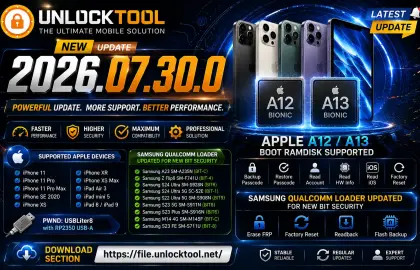
UnlockTool 2026.07.30.0 Released – Apple A12/A13 Boot Ramdisk & Samsung Qualcomm Loader Update (Complete Guide)
UnlockTool 2026.07.30.0 is now available with one of the biggest updates of 2026. This release introduces...
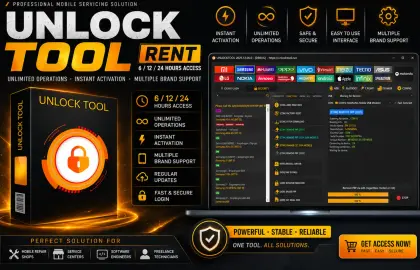
Unlock Tool Rent – Get Unlock Tool 6/12/24 Hours Access License at Lowest Price (Instant Activation)
Need Unlock Tool Rent? Get 6, 12 & 24 Hours Unlock Tool Access with instant activation,...


