

AMT Activation 2025: FRP, Mi Account, Android 15 Unlock Tool
The modern mobile repair industry demands tools capable of reliably bypassing the latest security updates, especially Google's Factory Reset Protection (FRP) and proprietary vendor locks (Mi Account, Vivo Pattern). The era of relying on free, outdated utilities is over. The professional Android Multi Tool (AMT) Activation 2025 is specifically engineered to address these 2025 security challenges, transforming high-risk, complex repairs into routine, profitable services.

Coming Soon

Coming Soon


Hot
Forward BF04 Hot Air Rework Station
₹15,300₹15,999

New
Forward BF03 Hot Air Rework Station
₹12,988₹12,999

Sale
Forward Rethink Blue Light Laser Separation Machine
₹69,999₹74,999
Section 1: The Strategic Necessity: Understanding Professional AMT Activation
This section addresses the primary search intent confusion—the difference between the paid license and the free utility—and establishes the credibility of the product sold via GsmBazaar.in.
1.1: The Critical Difference: Paid AMT Activation vs. Legacy Freeware Utility
When users search for "Android Multi Tool," they often encounter the legacy, free command-line utility. While once accessible, this AMT tool is fundamentally obsolete for professional work in 2025. This older tool was primarily designed for devices running Android 8.0 and earlier.
The free utility has critical limitations that make it a high-risk solution. It cannot reliably bypass critical Google FRP or remove modern Mi Accounts. Furthermore, the sources for such free Android Multi Tool files are often unreliable, increasing security risks (e.g., being flagged by antivirus or containing potential malware). Relying on it risks customer data loss and workstation infection.
In contrast, the professional AMT Activation (12-Month License or Credit Pack) is sold through reliable distributors. This Activation provides the continuous updates and proprietary protocols necessary to handle the latest security patches (up to Android 14/15 and some 2025 security levels). This paid solution guarantees robust features for FRP removal, specific account locks, and advanced flashing, securing reliable revenue streams. The failure of free AMT tools to bypass modern FRP locks is a direct result of Google's security hardening efforts, ensuring that a subscription-based, updated structure like the paid AMT Activation is essential for continuous feature efficacy.
1.2: Maximizing Coverage for the Indian Mobile Ecosystem
The Indian market is a high-volume, multi-brand environment, and the AMT tool is specifically designed for it. It officially supports numerous brands, including VIVO, XIAOMI, TECNO, INFINIX, ITEL, REALME, KARBONN, SAMSUNG, and OPPO.
Chinese OEMs like Tecno, Infinix, and Xiaomi dominate the budget and mid-range segment in the Indian market. The extensive support provided by Android Multi Tool for these brands offers an immediate commercial advantage. Technicians using the AMT tool can efficiently service a much broader customer base. This versatility makes AMT Activation an indispensable item in the market.
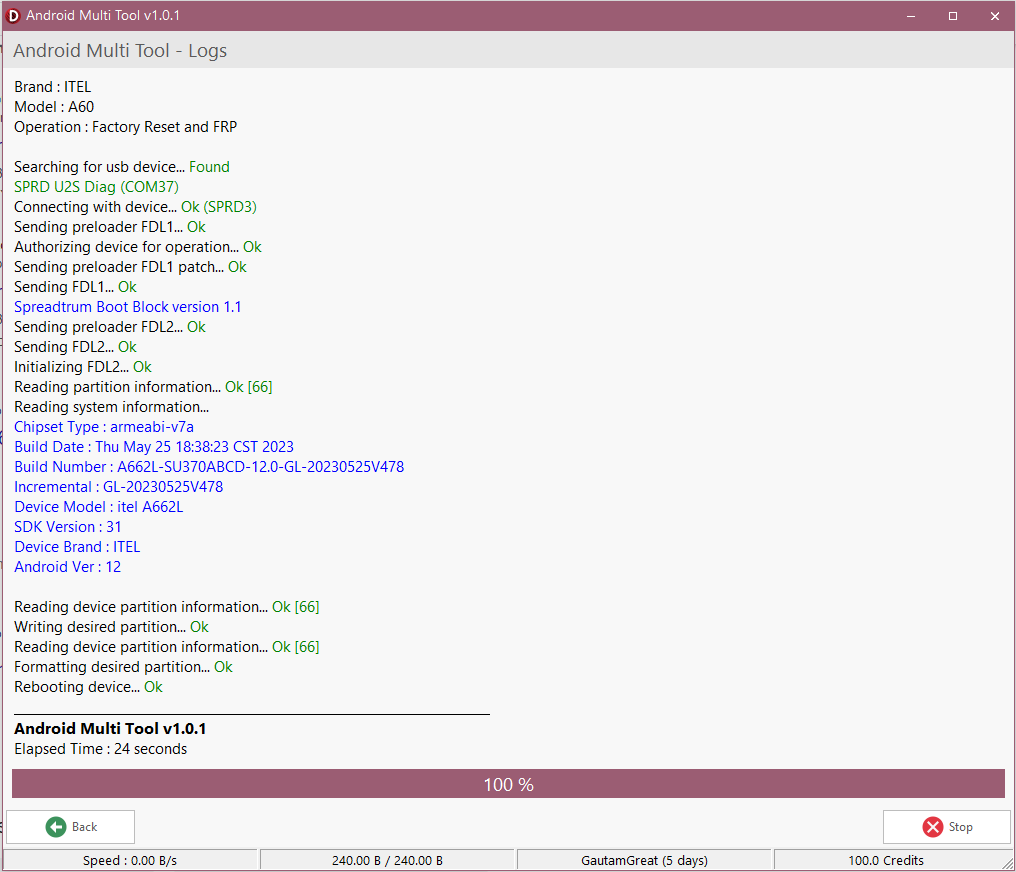
Table 1: AMT Professional Activation vs. Legacy Freeware AMT Tool
| Criterion | AMT Professional Activation (Paid License) | Free Android Multi Tool Utility (Legacy) |
|---|---|---|
| Primary Target | Professional GSM Repair Technicians | Hobbyists, Owners of Older Devices |
| FRP (Factory Reset Protection) | Bypasses modern FRP locks (High Success Rate) | Cannot bypass modern FRP |
| Mi Account/Cloud Locks | Dedicated Removal Support, Reduced Re-Lock Issues | No support |
| Supported Android OS | Optimized up to Android 14/15+ Security Patches | Limited to Android 8.0 and older |
| Updates & Support | Official, Regular Updates via License | None; Community-Based Only |
| Security/Legality | Low Risk (Trusted Source, Licensed Use) | High Risk (Malware Exposure, Unreliable Sources) |
Section 2: Technical Mastery: A Deep Dive into the AMT Tool’s Core Functionality
This section validates the tool's authenticity by detailing its complex technical capabilities, focusing on the most profitable repair types.
2.3: Unlocking Modern Security: FRP and Screen Lock Bypass
The AMT tool handles all common screen lock types: PIN, Pattern, Password, and some older Face Locks. Critically, the success rate of FRP removal is paramount for professional technicians. Android Multi Tool performs FRP removal using proprietary methods, essential for devices stuck on the Google verification screen after a factory reset.
The increasing security of brands like Vivo, especially on devices running Funtouch OS 15, defeats conventional methods (e.g., using the old 96-hour password reset feature often fails). AMT Activation assists in bypassing such advanced security, giving technicians confidence even with the latest Vivo models.
2.4: Xiaomi and Mi Account Removal (HyperOS Ready)
Xiaomi devices represent massive volume in the Indian market. The ability to reliably remove Mi Cloud/Account locks is vital for business viability.
The AMT tool provides crucial assistance in removing Mi Account locks and offers support to mitigate the infamous re-lock issue. This is a professional-grade feature critical for a technician's reputation and avoiding rework. This capability testifies to the AMT tool's readiness to handle the newest Xiaomi security (such as HyperOS security patches).
2.5: Advanced Flashing and MTK Chipset Control
Beyond unlocking, the Android Multi Tool serves as a powerful flashing utility. It can "breathe new life into old hardware" through custom ROMs and kernel flashing, or fix devices from boot loops and soft bricks.
MTK BROM Mode expertise is a key technical differentiator. AMT Activation supports deep-level access to MediaTek chipsets via the Preloader and Boot ROM (BROM) Mode. This ensures modern chipset compatibility, including support for both legacy MTK and newer 64-bit MTK architectures, along with compatibility for modern EMMC and UFS storage modules. This ensures the AMT tool remains relevant as phone hardware evolves.
Including support for reading IMEI information in Flash Mode is not just a standard feature; it is a necessity for compliance and repair diagnostics. It allows the technician to verify critical device information before executing complex, potentially irreversible flashing or repair operations, adding an essential layer of professional diligence.
Section 3: Competitive Advantage and Return on Investment (ROI)
This section strategically positions the AMT tool in the crowded market of professional GSM tools, focusing on cost-efficiency and performance versus dedicated dongles.
2.6: AMT vs. Dedicated Dongles: Cost-Effectiveness and Flexibility
Specialized tools like UMT (Ultimate Multi Tool) and EFT Pro often require physical hardware dongles or separate licenses for various chipset modules (QcFire for Qualcomm, MTK modules for MediaTek) to ensure proper use.
The advantage of the Android Multi Tool is that it provides a consolidated multi-brand solution via a digital activation license. This eliminates the high initial cost of hardware, avoids potential customs/shipping delays, and simplifies the licensing process, leading to immediate operational readiness.
While UMT and EFT Pro are highly specialized, the AMT tool offers robust, centralized multi-brand coverage at an extremely competitive mid-range price point (approximately INR 2,700 – 5,050 for 12 months). This makes AMT Activation the ideal entry or supplementary tool for a repair shop handling diverse device volumes.
The pricing of AMT Activation (starting at around ₹2,700 for 12 months) positions it as an accessible, high-ROI tool. Given that the typical mobile technician salary ranges from ₹12,000 to ₹35,000 per month, the tool's cost is quickly recouped—potentially within 1-3 successful complex FRP or Mi Account removals—making this purchase a clear business imperative.
2.7: Calculating Your Profitability with AMT Activation
Repairs involving FRP and account removal command a premium due to their complexity and the failure of standard solutions. The AMT tool enables technicians to capture this premium market segment.
The robust, reliable nature of the paid AMT software means faster repair times, allowing technicians to increase daily service volume and drastically improve per-hour profitability. This decision is not about spending money; it’s about securing a vital business asset that guarantees a continuous income stream while keeping pace with evolving Android security updates.
Upgrade Your Toolkit Now – Purchase Your AMT License! (CTA Placement 2: Strategic Mid-Content Call to Action)
Section 4: Operational Protocols: Pre-requisites and Safety Guidelines
Professional technicians require precise preparation steps to ensure successful operations and customer satisfaction.
2.8: Essential Hardware and Software Pre-requisites
The AMT tool is a dedicated Windows PC utility. It is mandatory to ensure the workstation is running a stable, updated version of the Windows OS.
A reliable, high-quality USB cable is mandatory. Poor connection stability is a leading cause of operation failures and potential device 'bricking.'
ADB Drivers must be correctly installed. Without proper device drivers, the PC will fail to detect the target phone, rendering the AMT tool useless. Technicians must ensure OEM-specific ADB drivers are loaded for whichever brand they service (Vivo, Xiaomi, etc.).
2.9: Enabling Developer Options and USB Debugging (Critical Step)
This step is fundamental for the Android Multi Tool to connect to the device, making clear instructions essential:
- Navigate to Settings > About Phone.
- Locate the Build Number option (location varies by OEM, e.g., Samsung/Pixel: Settings > About Phone > Software Information > Build Number).
- Tap the Build Number seven times until the message "You are now a developer!" appears.
- Return to Settings and enable USB Debugging within the newly visible Developer Options menu.
2.10: Data Integrity and Ethical Repair Practices
Some operations (e.g., Hard Reset, Factory Reset) inherently involve data loss. Professional communication with the client regarding data backup is mandatory.
While the AMT tool aids in deep repairs, issues like display failure (common in India) often complicate data recovery due to OEM policies. AMT Activation helps mitigate the risk of data loss where software-based solutions are possible. Including a detailed section on setup and safety increases credibility, showing that GsmBazaar.in understands the operational realities of a repair shop and is committed to promoting professional, trustworthy repair outcomes.
Table 2: Key Technical Specifications and Operational Requirements
| Specification | Details | Technical Context |
|---|---|---|
| Supported OS | Windows PC (Dedicated Utility) | Required for stability and proprietary communication protocols. |
| Connection Method | USB Cable (High-Quality Recommended) | Essential for stable flashing and low-level mode access. |
| Driver Requirement | ADB and Specific OEM Drivers | Mandatory for reliable device detection and communication. |
| Supported Chipsets | MTK (BROM/Preloader), Qualcomm (via Generic/EDL Mode) | Focuses on high-volume chipsets in the Indian market. |
| Advanced Modes | BROM Mode, Preloader Mode, Flash/Firmware Update | Essential for deep-level firmware repair and unbricking. |
| Activation Period | 12 Months (Typical) or Credit Pack | Ensures continuous updates against evolving security patches. |
Section 5: Conclusion: Securing Your Competitive Future with GsmBazaar.in
The professional Android Multi Tool (AMT) Activation is not a luxury; it is a fundamental necessity for any serious technician aiming to handle the complexities of Android 14+ security, multi-brand volume (Vivo, Xiaomi, Tecno), and high-margin repairs (FRP, Mi Account).
Through GsmBazaar.in, technicians secure a reliable, official license. GsmBazaar.in ensures digital delivery, granting minimal downtime and instant access to this essential business AMT tool (Delivery Time: 5 to 10 minutes). By investing in AMT, you are not just buying a tool—you are investing in your shop's capability and profitability, ensuring you are prepared for the challenges of 2025 and beyond.
Secure Your License Now and Start Repairing Today!
NewSale
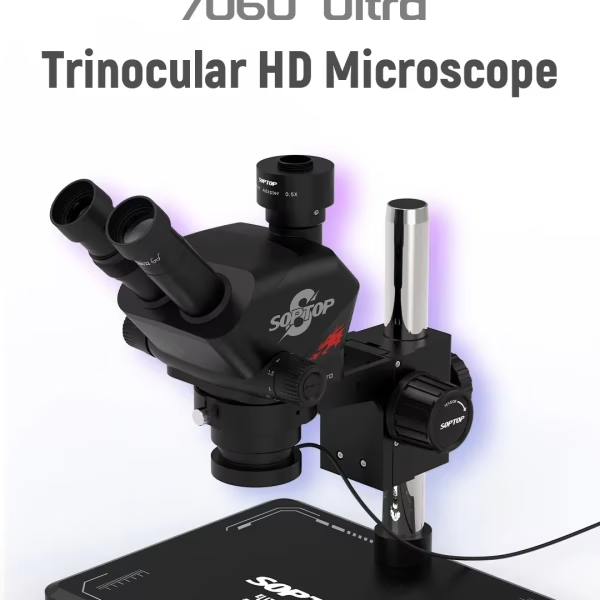
Buy SOPTOP Trinocular Stereo Microscope 7-60X Zoom Online
₹18,499₹19,999
HotNewSale
New

HotNew
SUNSHINE SS-890B MINI Laser Screen Removal Machine
₹36,499₹45,000
New
HotNewSale
Hot
Forward BF04 Hot Air Rework Station
₹15,300₹15,999

New
Forward C02 4K Microscope Camera
₹9,499₹9,999

HotNew
FORWARD FW-R03 Adjustable Microscope Swing Arm
₹2,499₹2,500
About Me

Sanjeev Saini
Sanjeev Kumar – A passionate B.Com graduate, blogger, and creative designer. I have a deep passion for Blogging, SEO, Digital Marketing, Graphics Design, and Website Development. Now, I’m helping beginners build stunning WordPress websites and eye-catching graphics to grow their online presence. 🚀

Latest Posts

Related Articles
Unlock Tool 2026.08.02.0 Released – Apple A12/A13 Ramdisk Support | Unlock Tool Download Latest Update
Download Unlock Tool 2026.08.02.0 latest update with Apple A12/A13 Boot Ramdisk support, Samsung Qualcomm Loader update,...
UnlockTool 2026.07.30.0 Released – Apple A12/A13 Boot Ramdisk & Samsung Qualcomm Loader Update (Complete Guide)
UnlockTool 2026.07.30.0 is now available with one of the biggest updates of 2026. This release introduces...
Unlock Tool Rent – Get Unlock Tool 6/12/24 Hours Access License at Lowest Price (Instant Activation)
Need Unlock Tool Rent? Get 6, 12 & 24 Hours Unlock Tool Access with instant activation,...


